Built for Indian schools · Nursery to Class XII

Your whole school,in one place.

Admissions, attendance, fees, exams, timetables, transport and payroll — with parents kept in the loop. One fast, secure app for everyone at school.

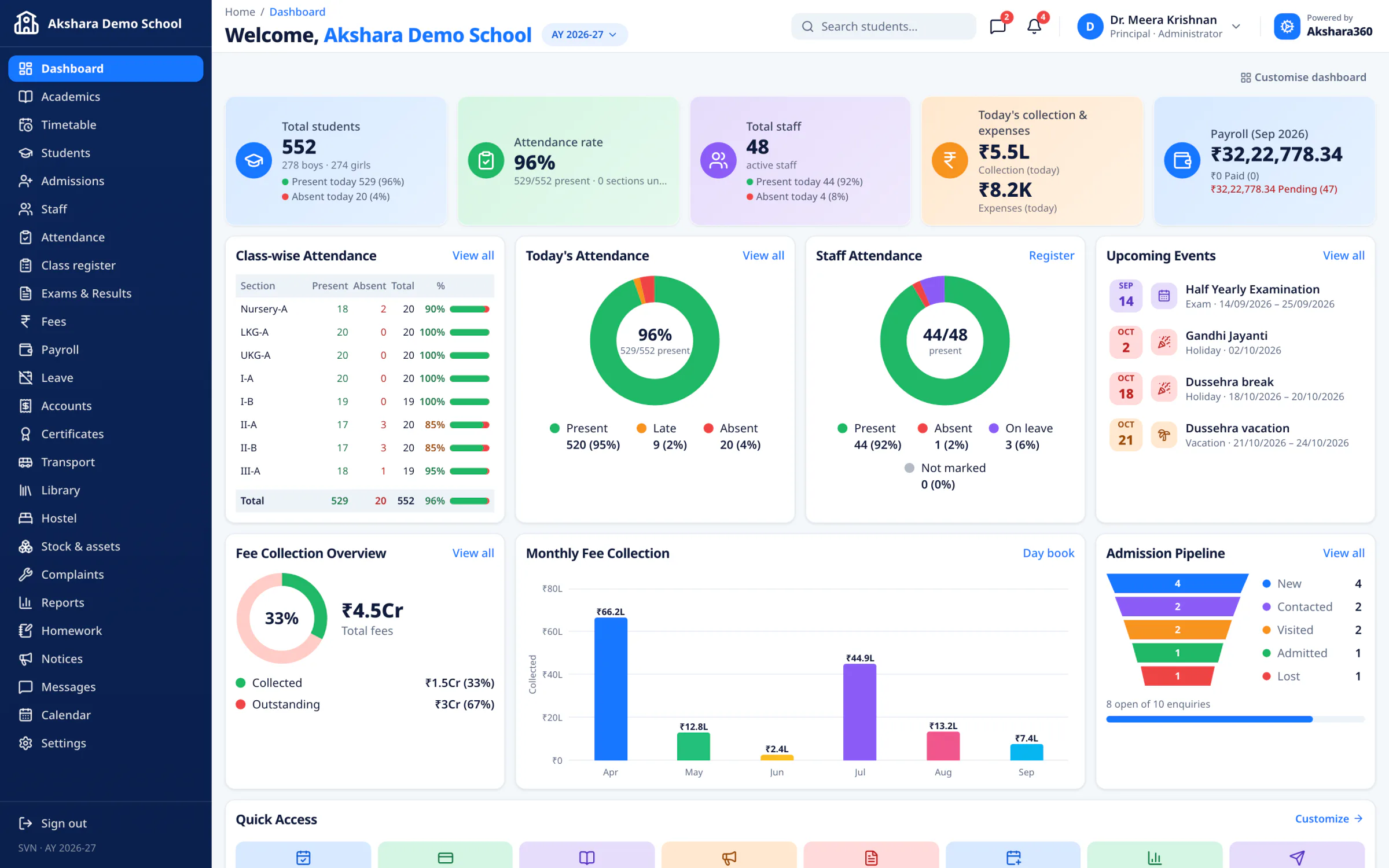
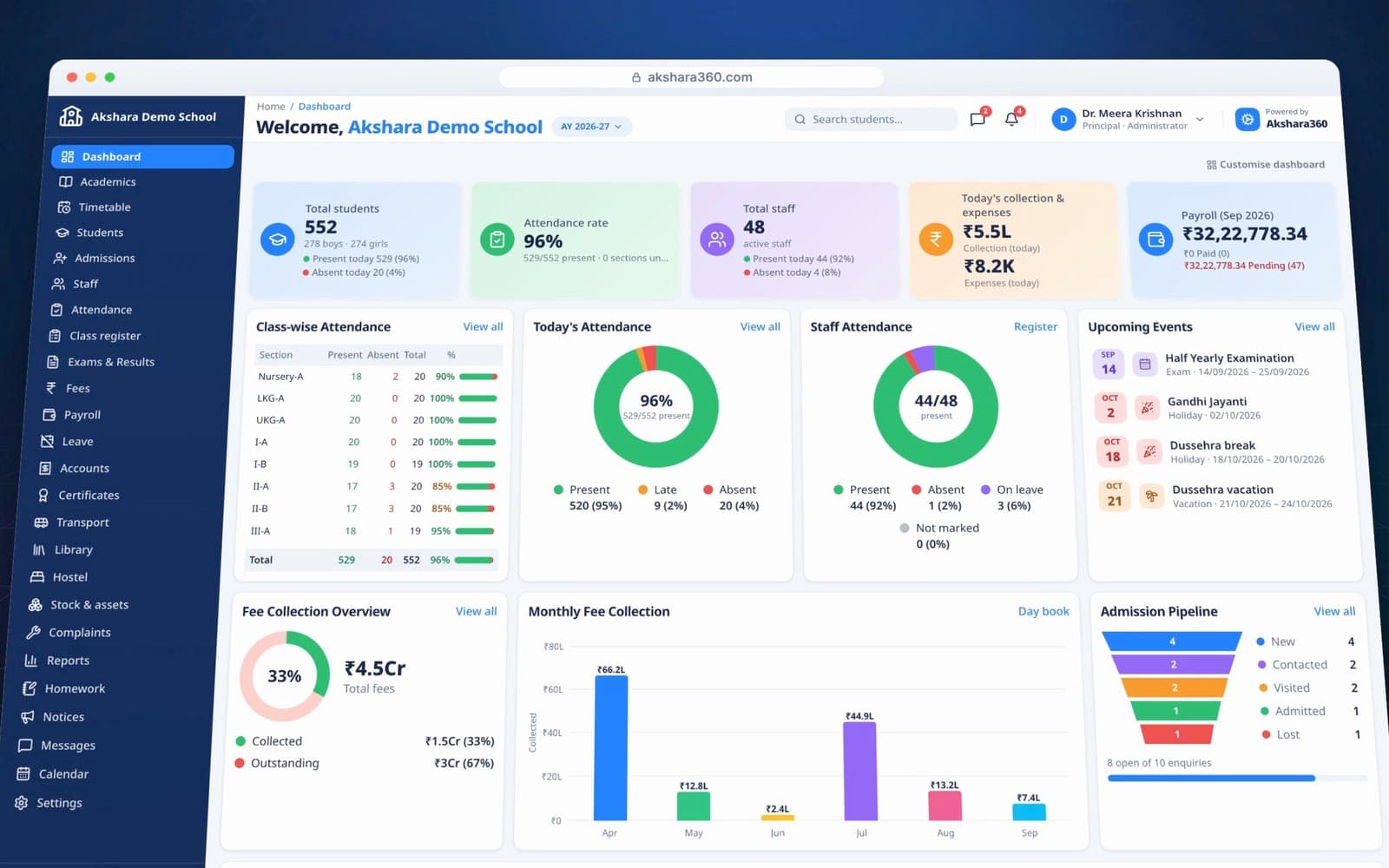
The Akshara360 principal's dashboard for Akshara Demo School: students, attendance rate, staff, today's fee collection, payroll, class-wise attendance, upcoming events and monthly fee collection.
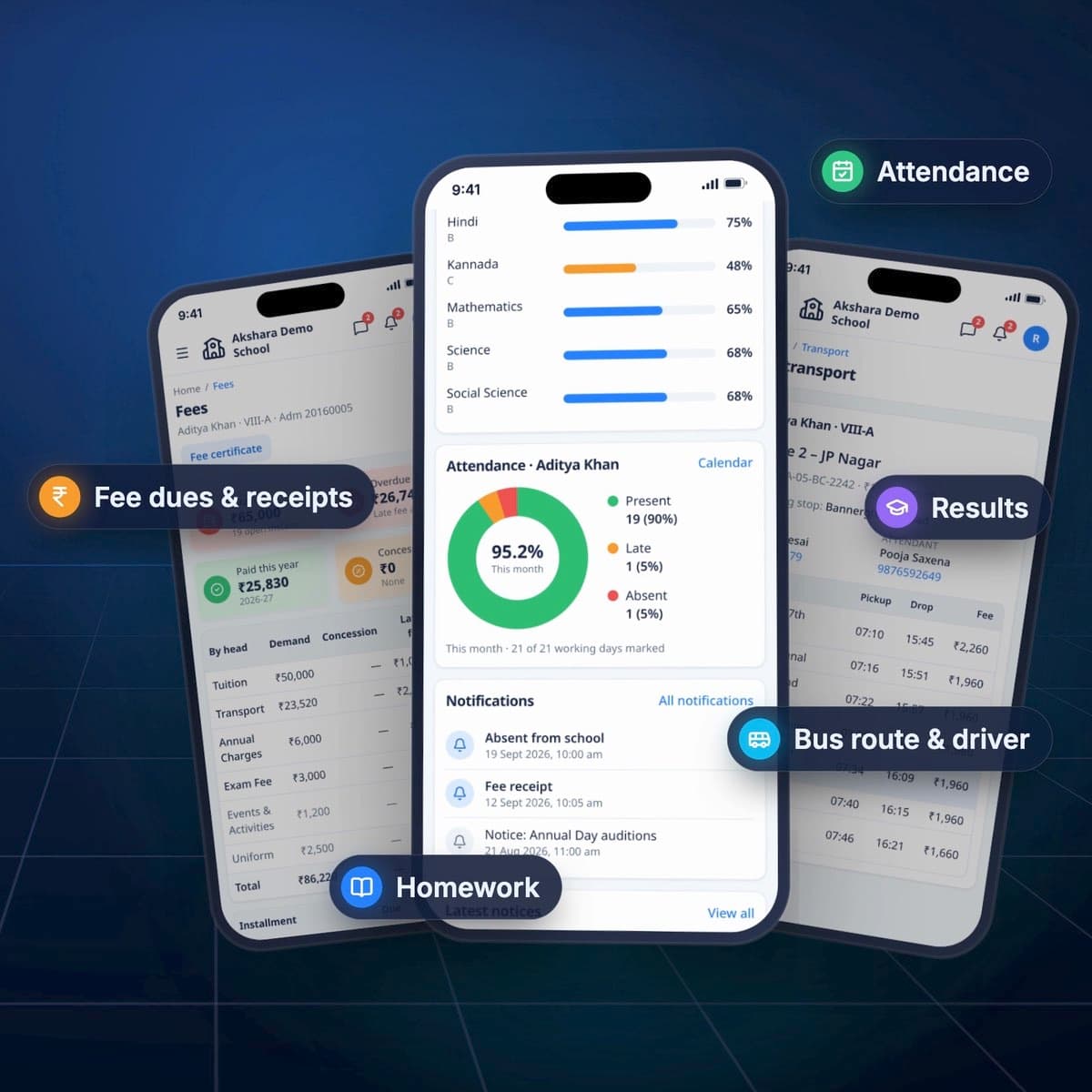
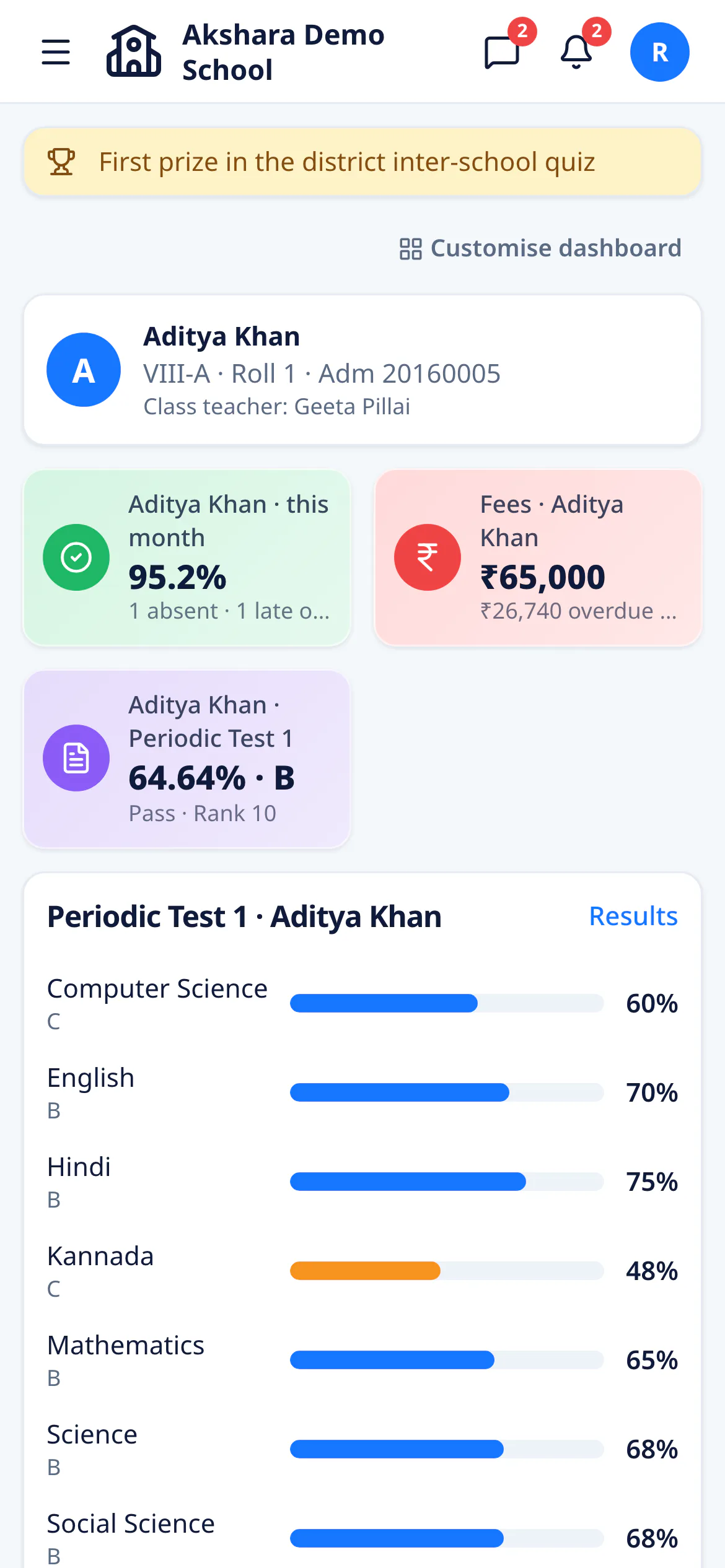
The parent's view on a phone: the child's attendance this month, fee dues and exam result.
  • 20+modules
  • 7roles
  • Nursery–XIIevery class
  • Any phoneright in the browser

Sound familiar?

  • Attendance registers
  • Fee receipt books
  • Excel sheets
  • WhatsApp groups
  • Paper report cards
  • Endless phone calls

What if it all lived
in one place?

Akshara360 replaces the registers, receipt books and spreadsheets with one app your whole school shares.

The product

Every part of the school day,
in sync.

From the morning register to the evening day book, every office, classroom and home works from the same live numbers.

01Dashboard

Your whole school, at a glance.

Students, attendance, today’s collection, payroll and upcoming events are waiting the moment you sign in. Every role gets its own dashboard, and each login arranges its own tiles.

  • Headline KPIs
  • Upcoming events
  • Arrange your tiles
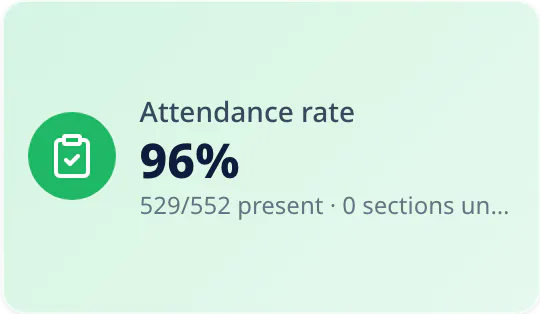
The Akshara Demo School dashboard: 552 students, 96% attendance today and class-wise attendance

02Attendance

Mark a class in a few taps.

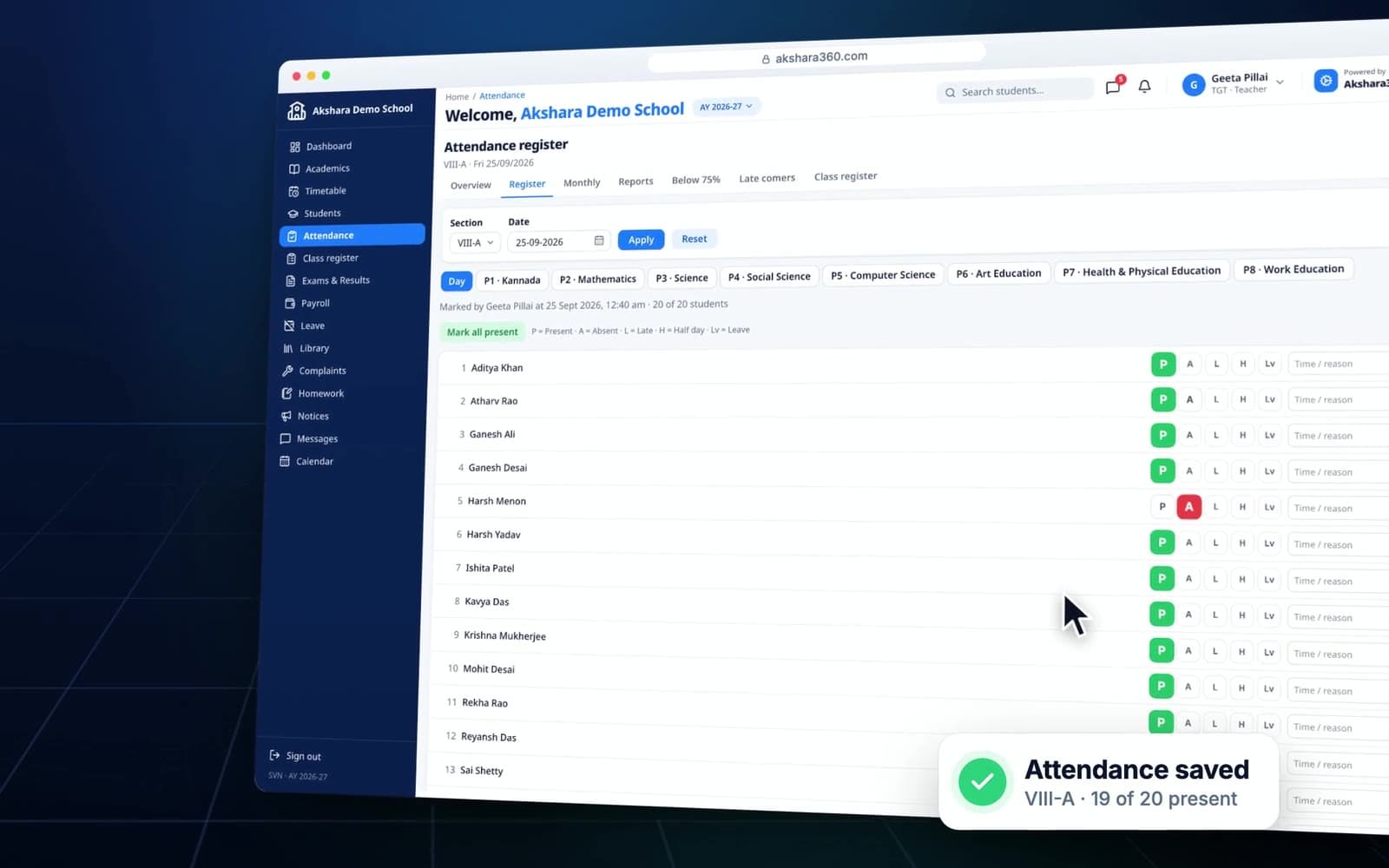
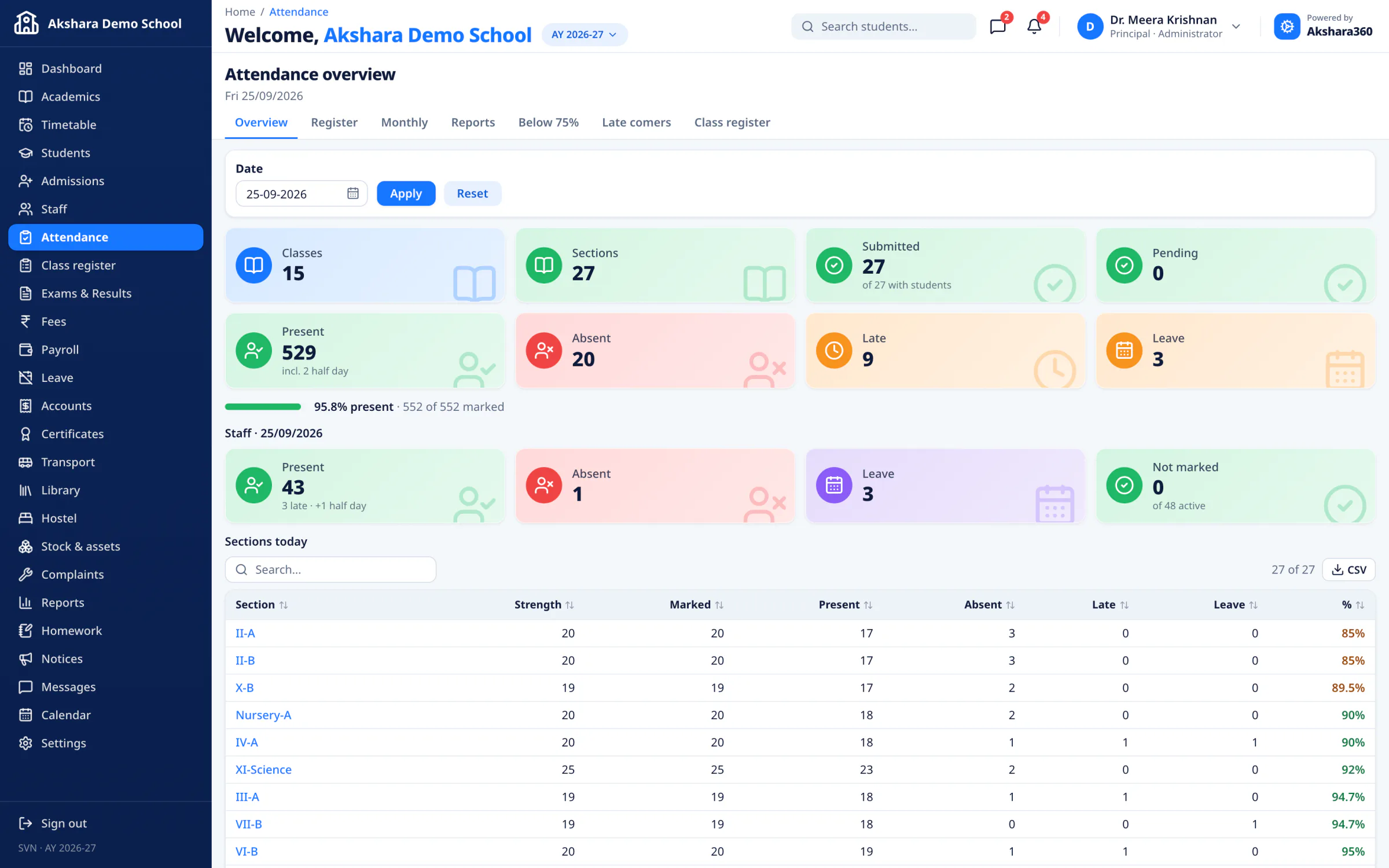
Mark all present, tap the few who are absent, and save. Late arrivals and half-days keep their times, period-wise registers follow the timetable, and anyone below 75% lands on a list of their own.

  • Mark all present
  • Late-comers & half-days
  • Below-75% list
The attendance register on a teacher’s phone: Mark all present, then P, A, L, H or Lv for each student

03Fees

Collect fees. Chase dues. Print receipts.

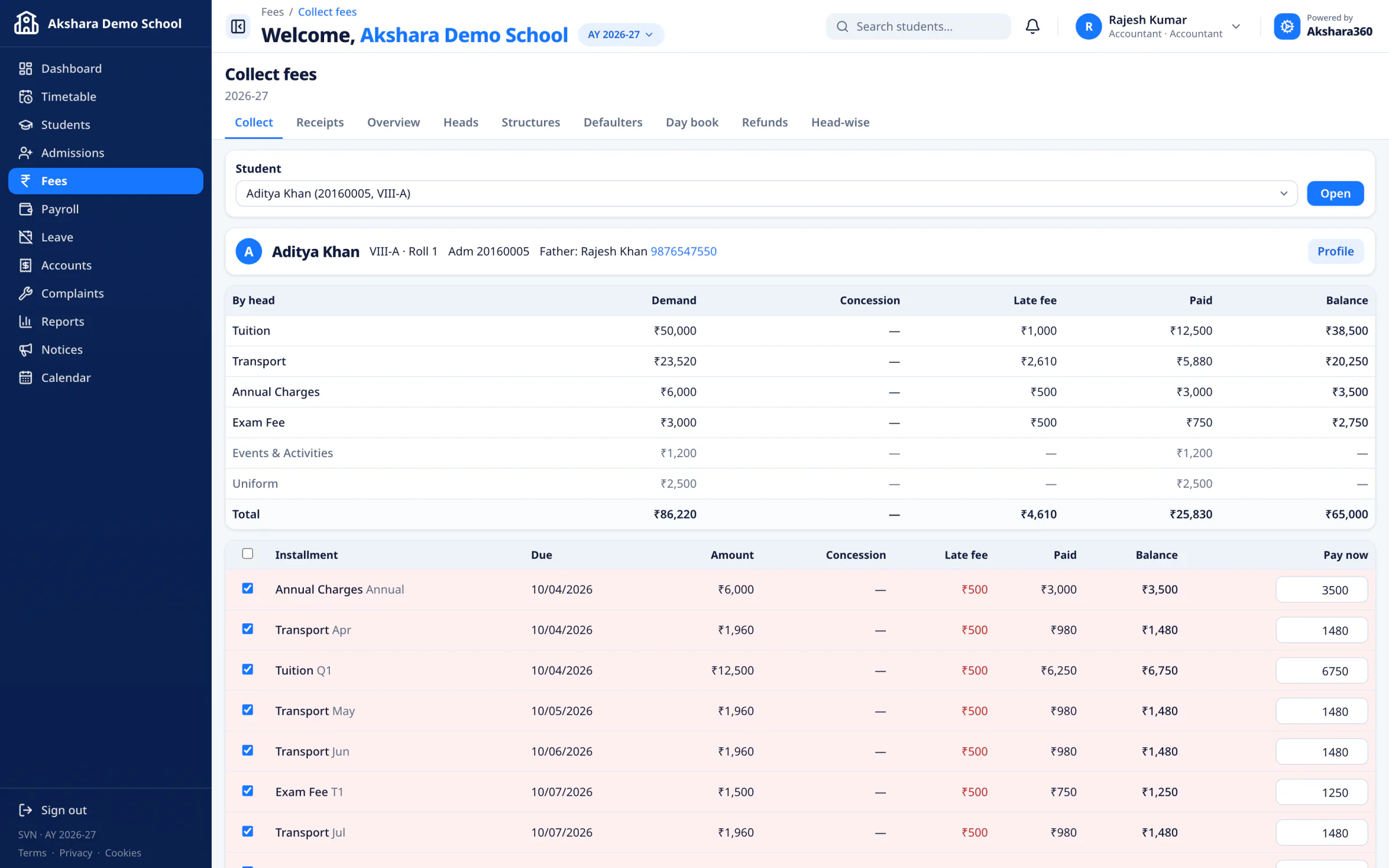
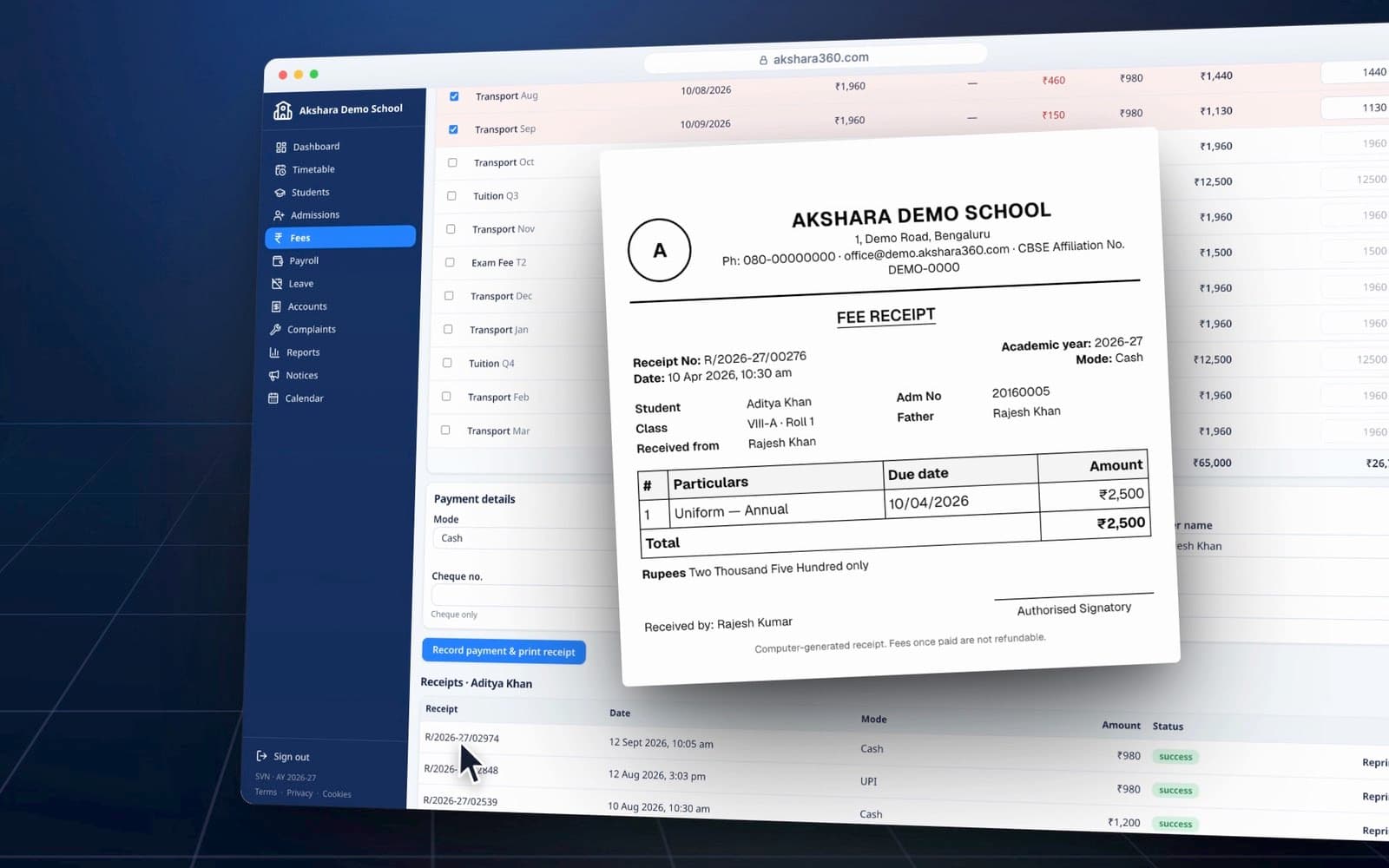
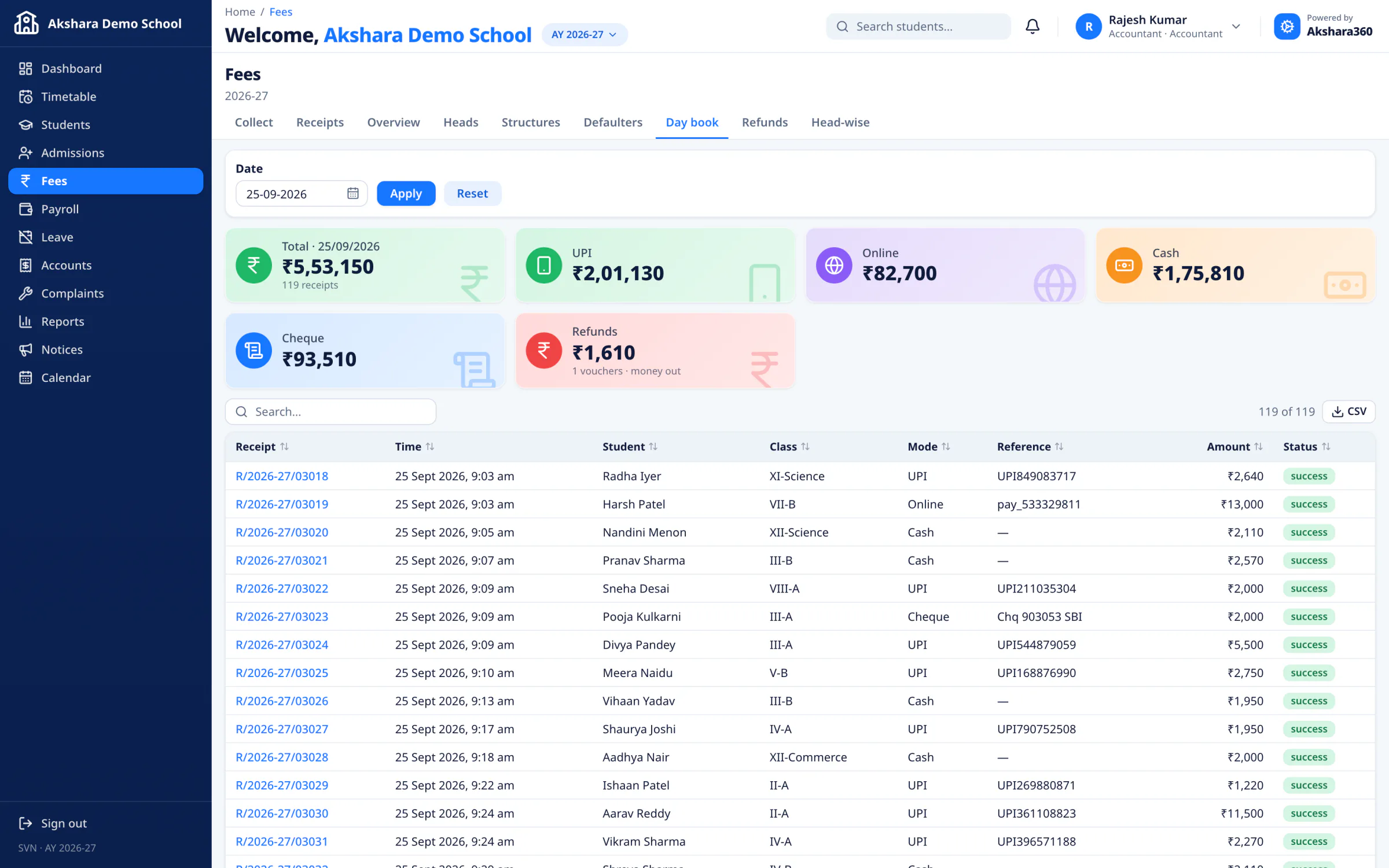
Fee structures, concessions, and monthly transport and hostel fees live in one ledger. Collect by cash, cheque, UPI, NEFT or card, print a numbered receipt, and let the day book and the defaulters list keep count.

  • Concessions
  • Day book
  • Numbered receipts
Collect fees for one student: demand, late fee, paid and balance for each fee head

04Exams

From marks to report cards.

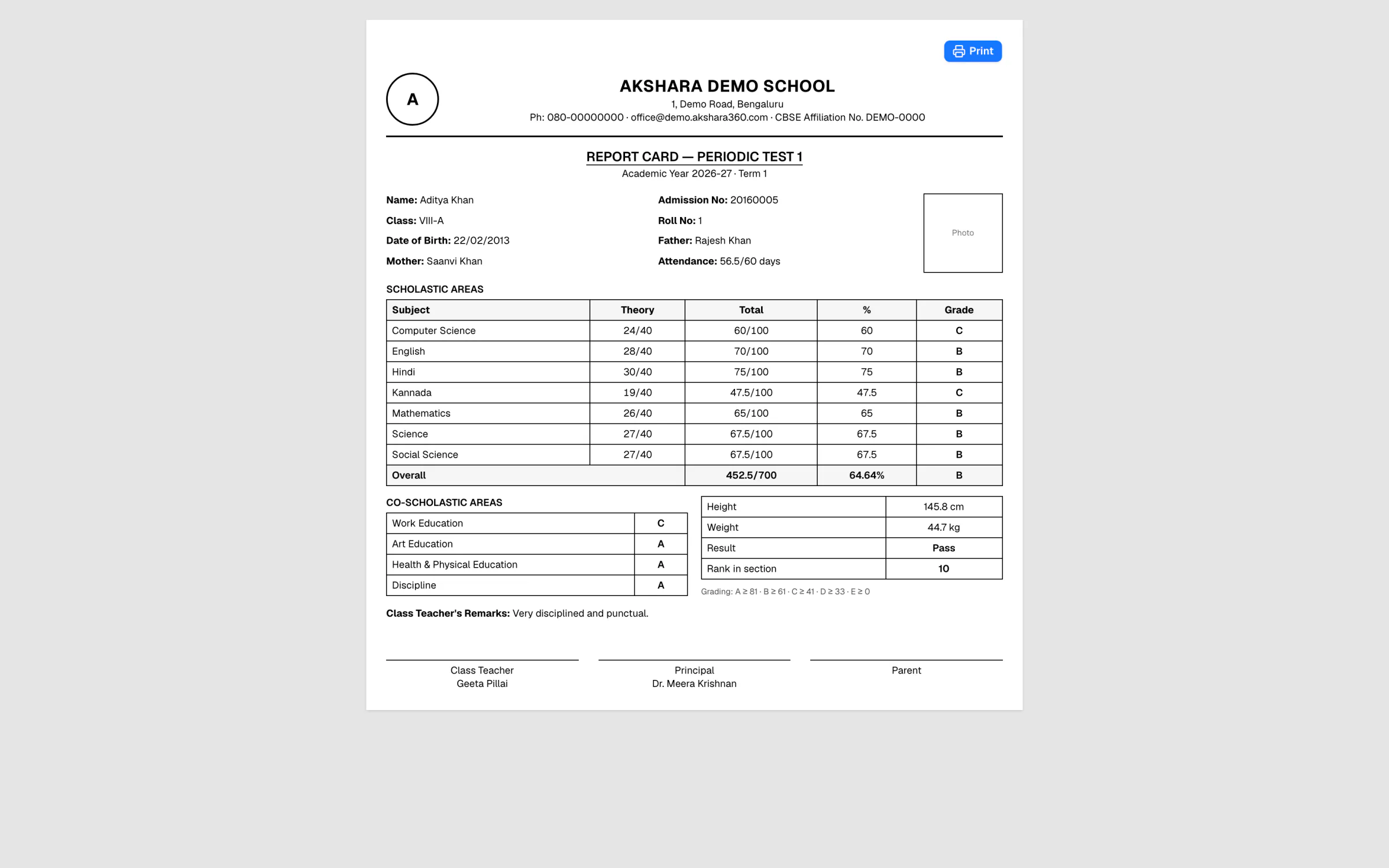
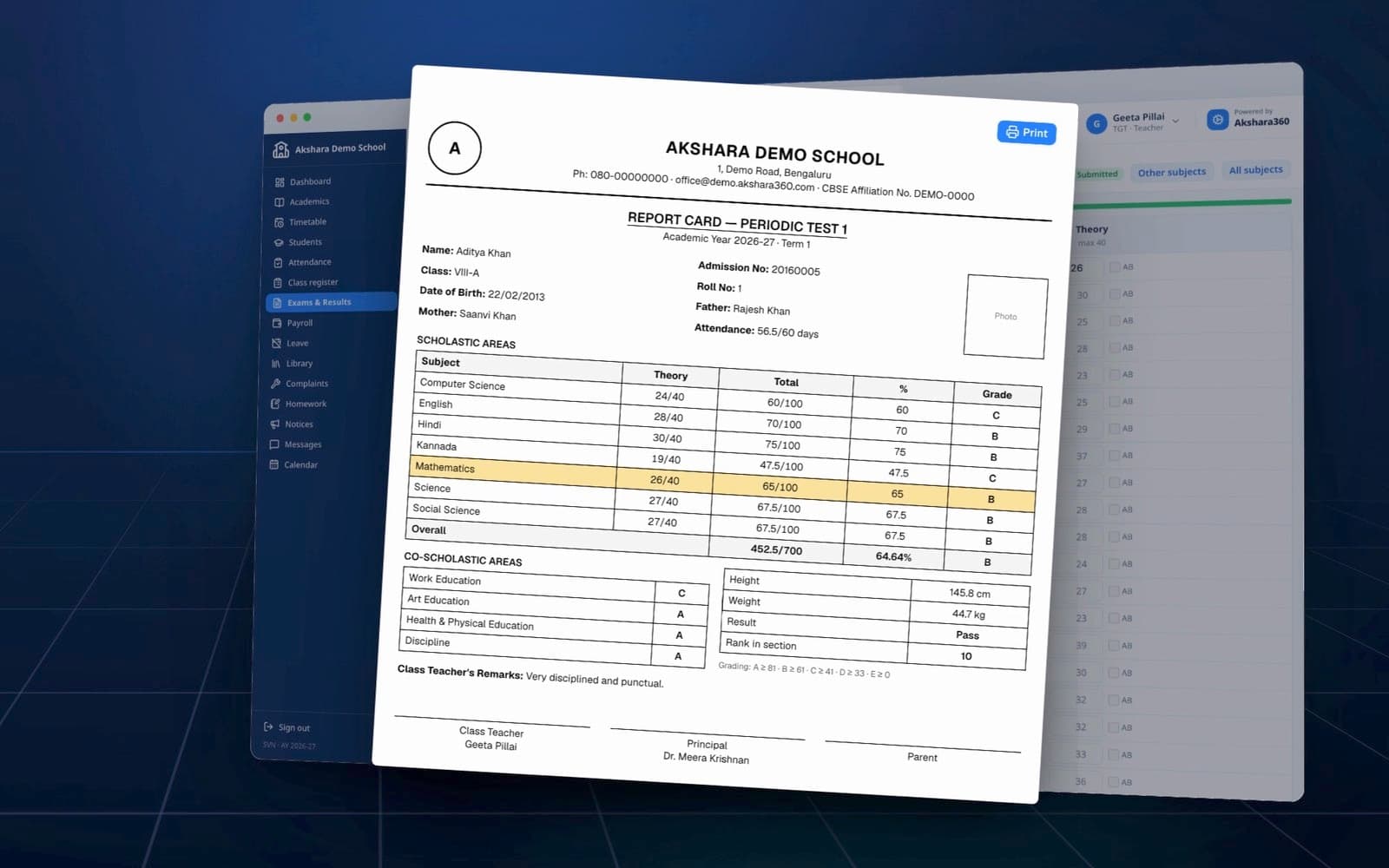
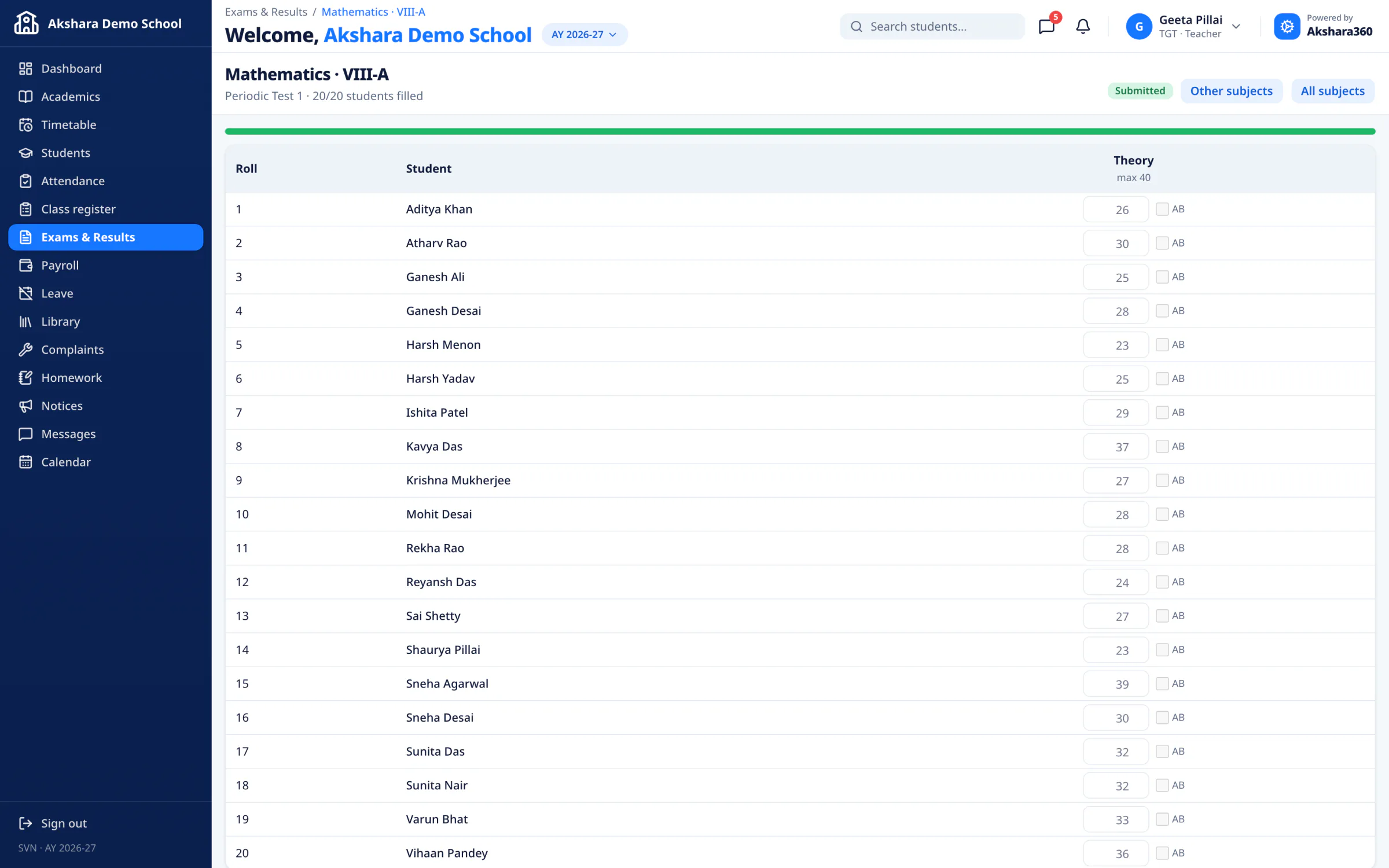
Teachers enter marks in one grid, or import a CSV. Grades, totals and rank are worked out for you, and report cards print ready to sign, a whole section at a time.

  • One marks grid
  • Grades & rank
  • Print-ready report cards
A printed report card from Akshara Demo School with theory marks and totals for each subject

And everything else

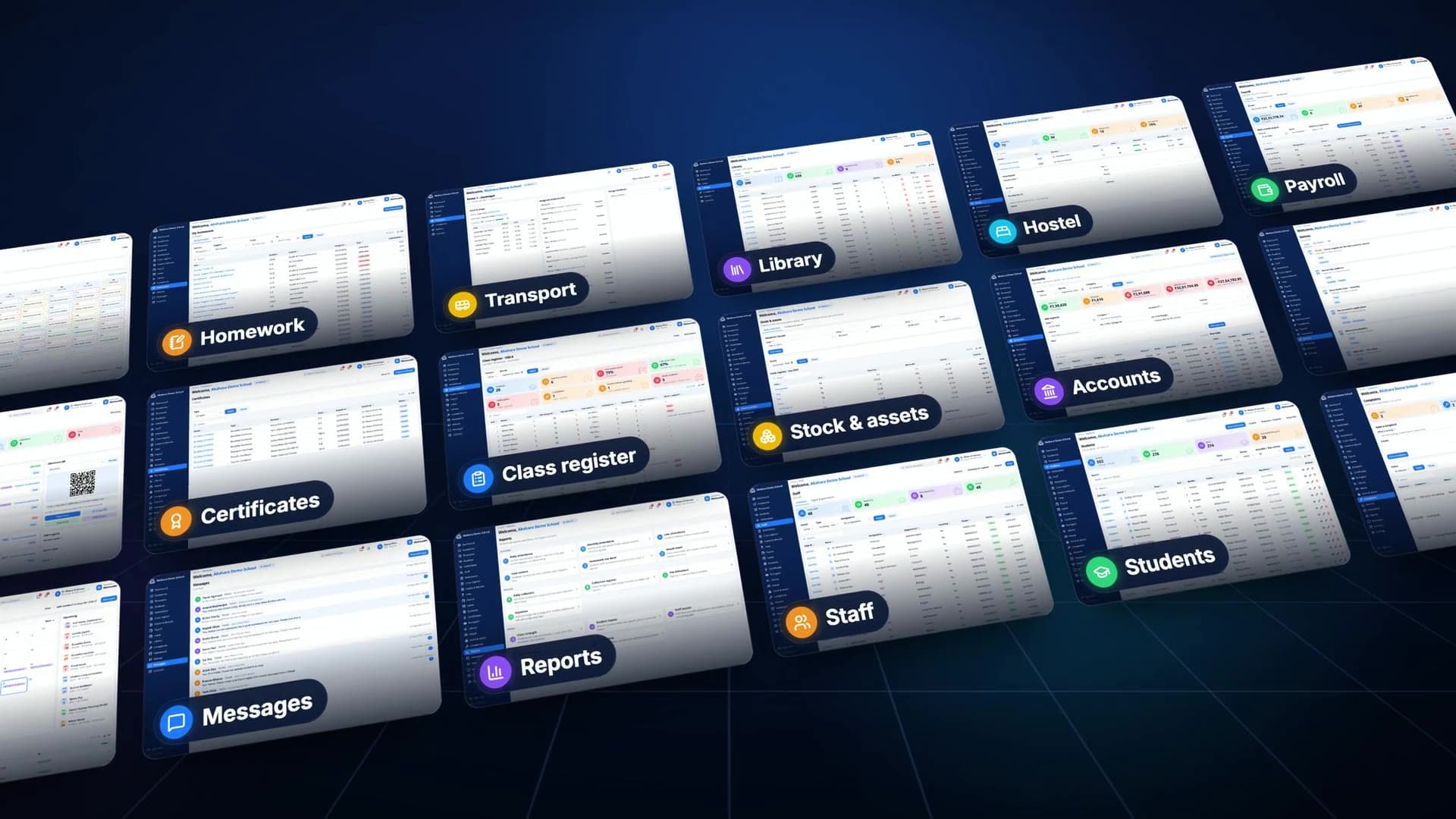
One app for the whole campus.

20+ modules7 rolesNursery to Class XII

  • Timetable

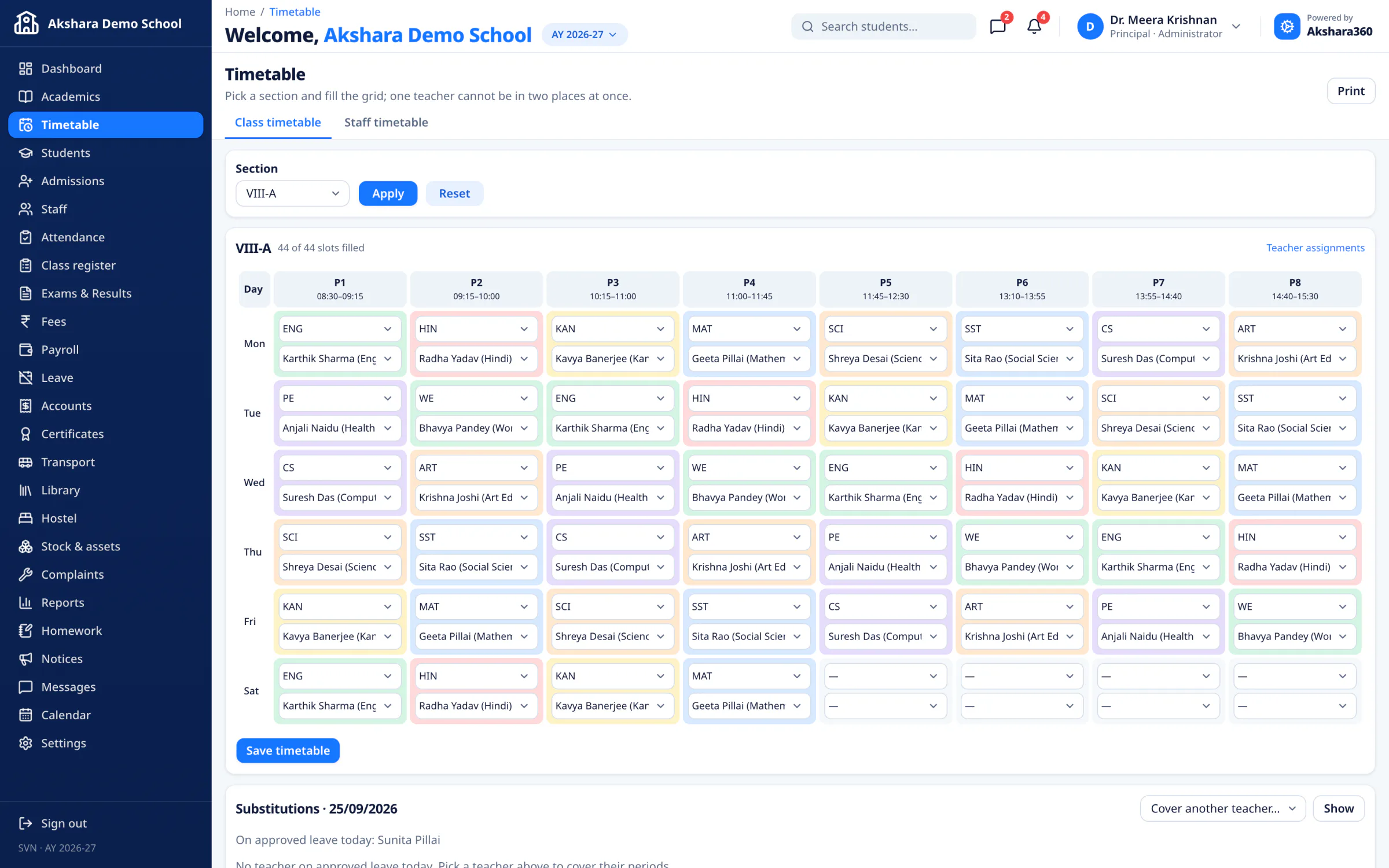
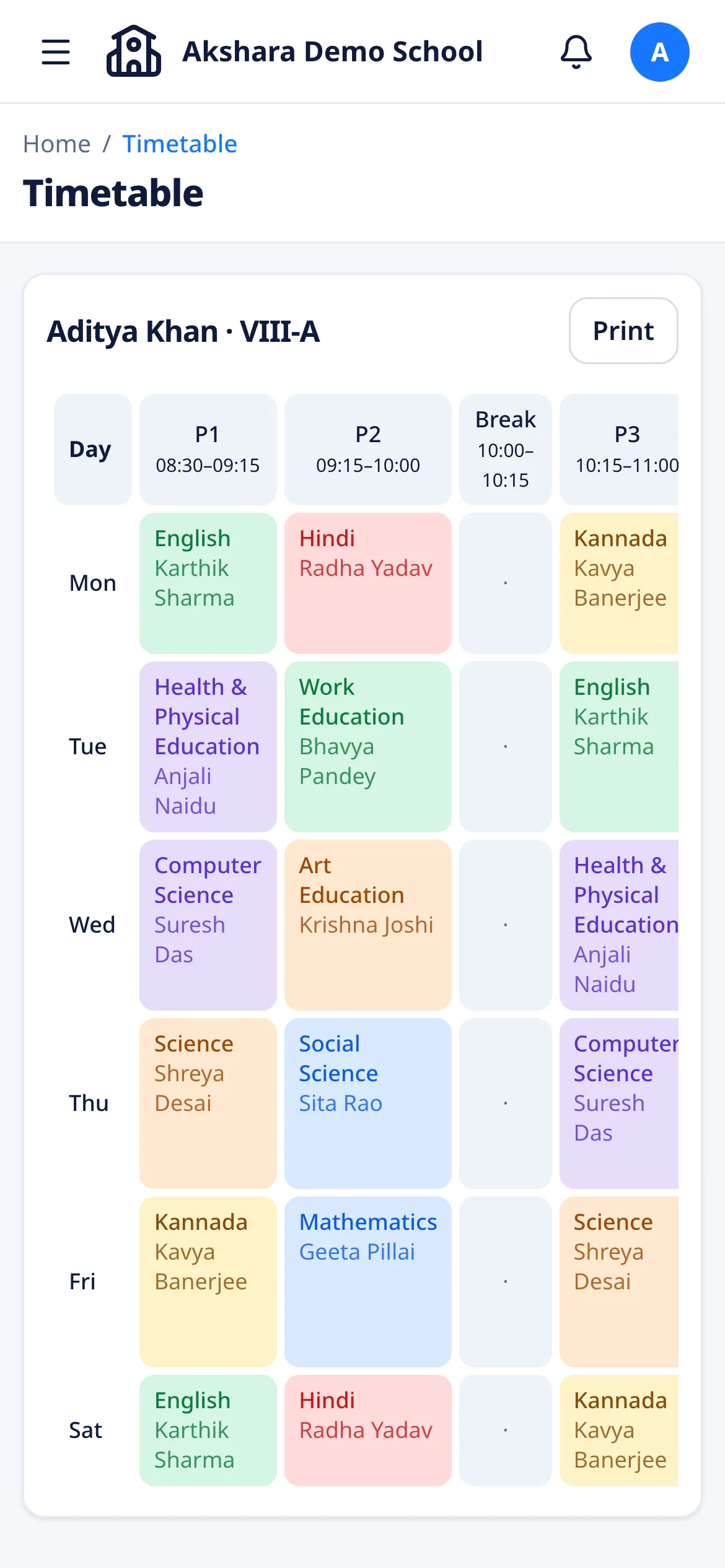
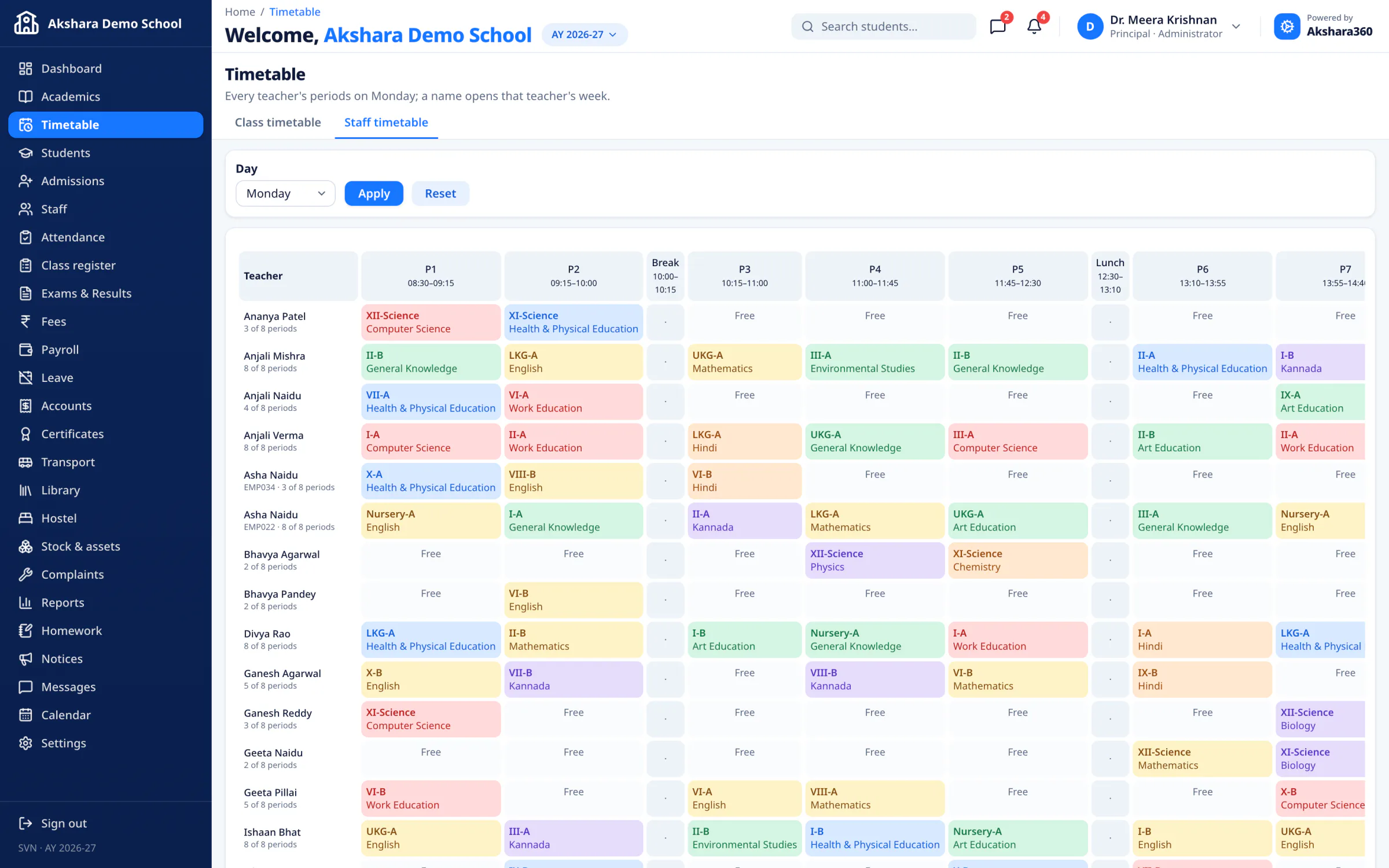
    Mon–Sat timetables for every class and teacher, with clash checks and daily substitutions for absent teachers.

    The timetable editor: a week of periods for Class VIII-A, each cell a subject and teacher.
  • Homework

    Post work, take submissions online, flag notebooks not done.

  • Library

    Issue, return and renew, with late fines worked out per day.

  • Certificates

    Serial-numbered TC, Bonafide, Character and Study certificates.

  • Hostel

    Rooms and beds, with gender and capacity checks on allotment.

  • Admissions

    Enquiries from the public form or QR poster, with status and follow-up dates — then convert to an admission.

  • Transport

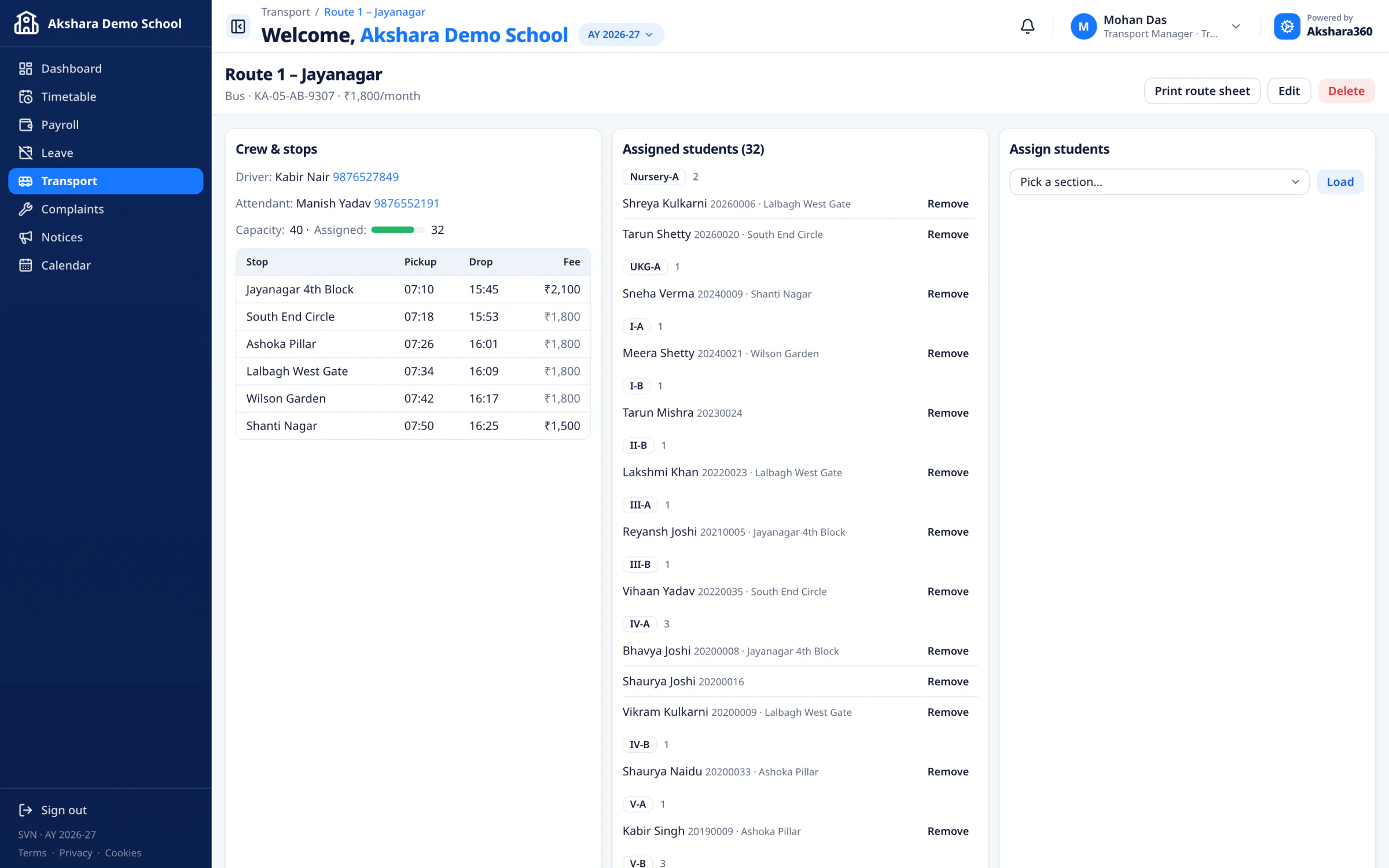
    Routes and stops with pickup and drop times, drivers and capacity. Each rider’s fee flows into Fees.

    A bus route: crew and stops with pickup and drop times, and the students assigned to it.
  • Payroll

    Salary structures, loss of pay from staff attendance, and payslips for the whole month in one go.

Also in the app

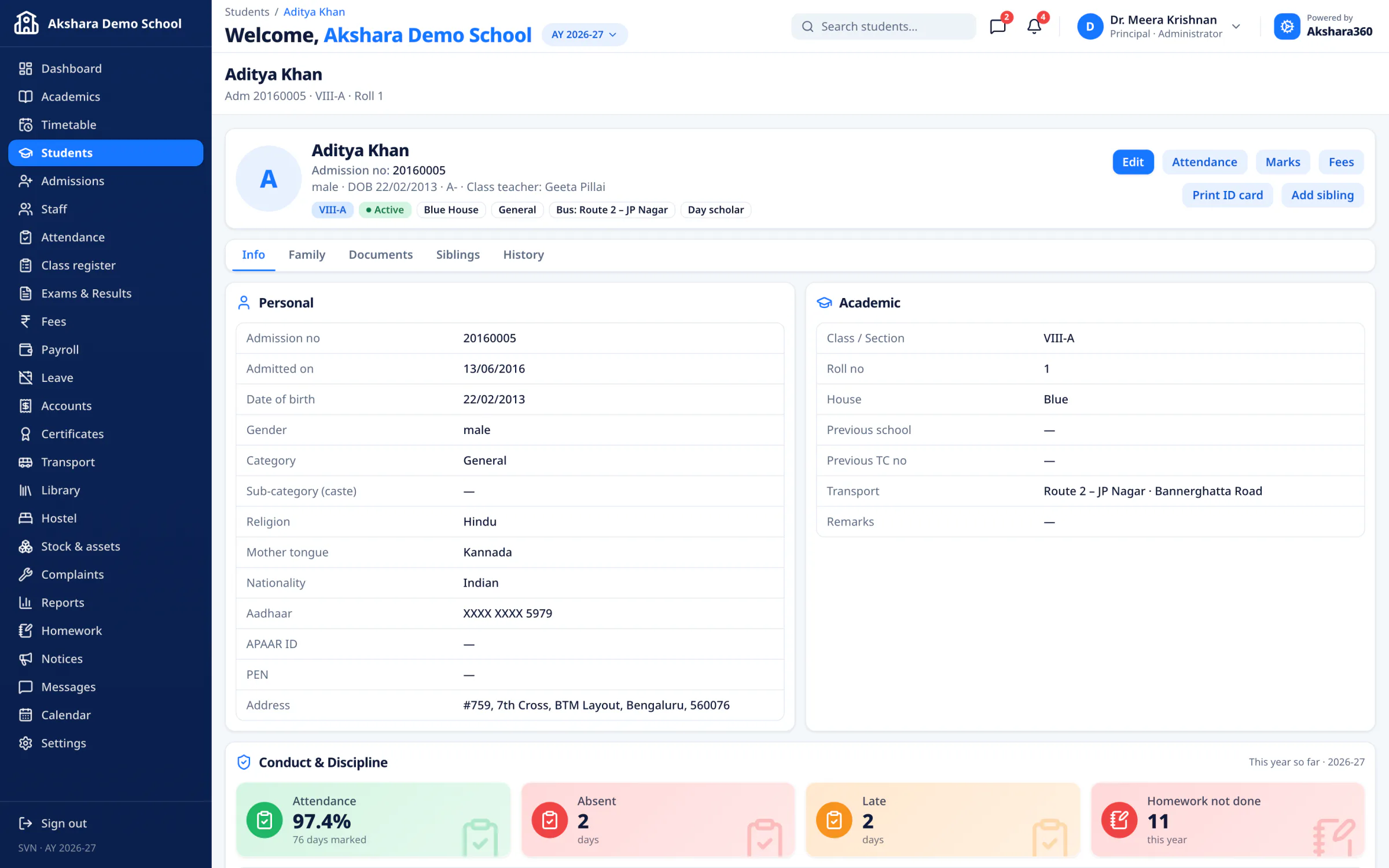
  • Students
  • Staff
  • Attendance
  • Class register
  • Exams & results
  • Report cards
  • Fees
  • Accounts
  • Leave
  • Stock & assets
  • ID cards
  • Notices
  • Messages
  • Calendar
  • Complaints
  • Reports
  • Permissions
  • Audit log
  • Year-end promotion

Roles & permissions

The right view
for every role.

Principal, teacher, accountant, librarian, transport manager, parent and student — each sees exactly what they need. Choose what every login can see and do.

01 / 07 · Every record in the school

Every approval, every number.

  • Publish and lock results, grant fee concessions and approve leave.
  • Cancelling a receipt or refunding a fee stays with leadership.
  • Today’s attendance, collection and payroll, even from a phone.

02 / 07 · Only their own sections

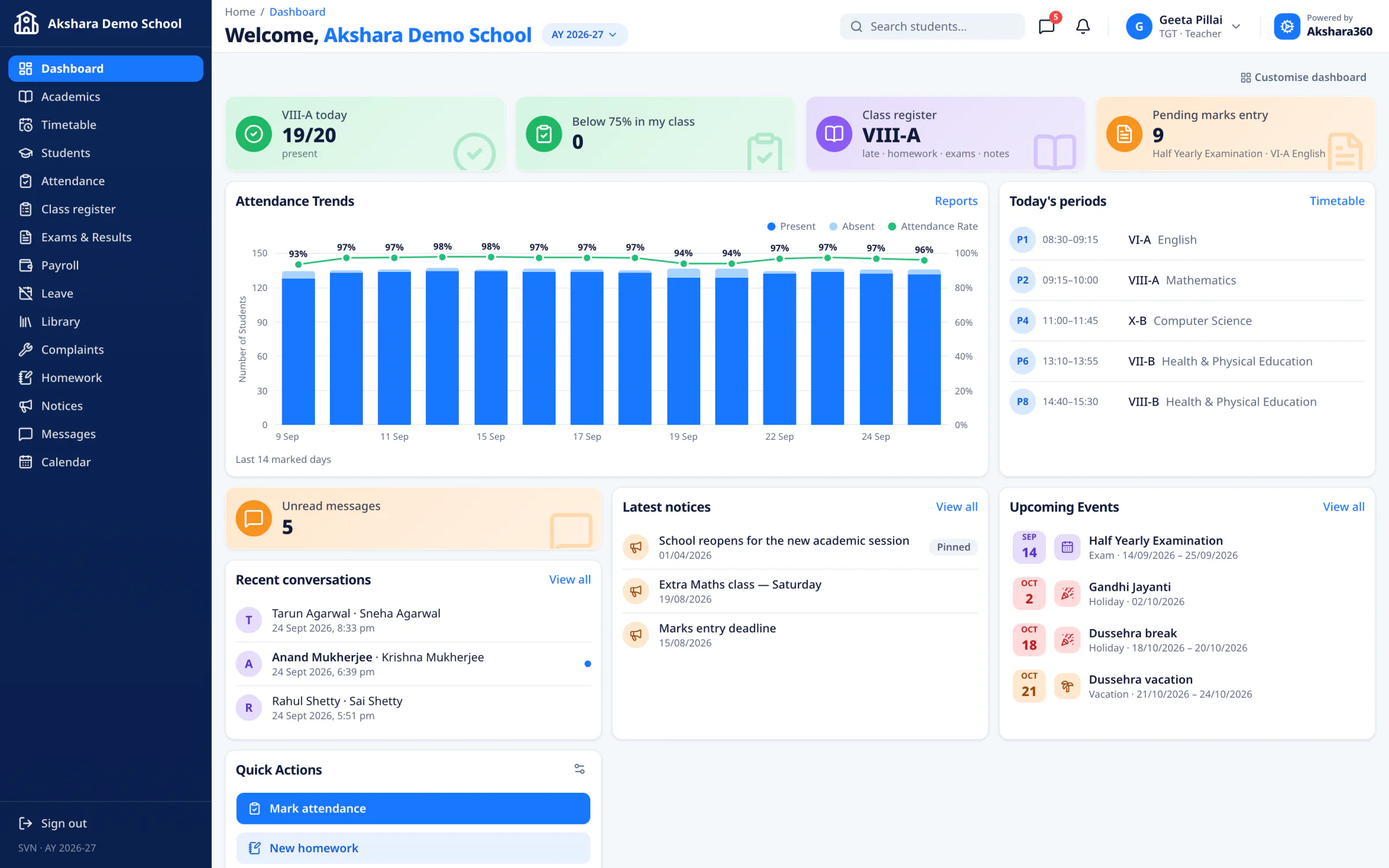
Their classes, ready each morning.

  • Today’s periods, their class’s attendance and pending marks on one screen.
  • Mark attendance and enter marks for the sections they teach.
  • Post homework, keep the class register and approve their class’s leave requests.

03 / 07 · Fees, accounts and admissions

Every rupee, accounted for.

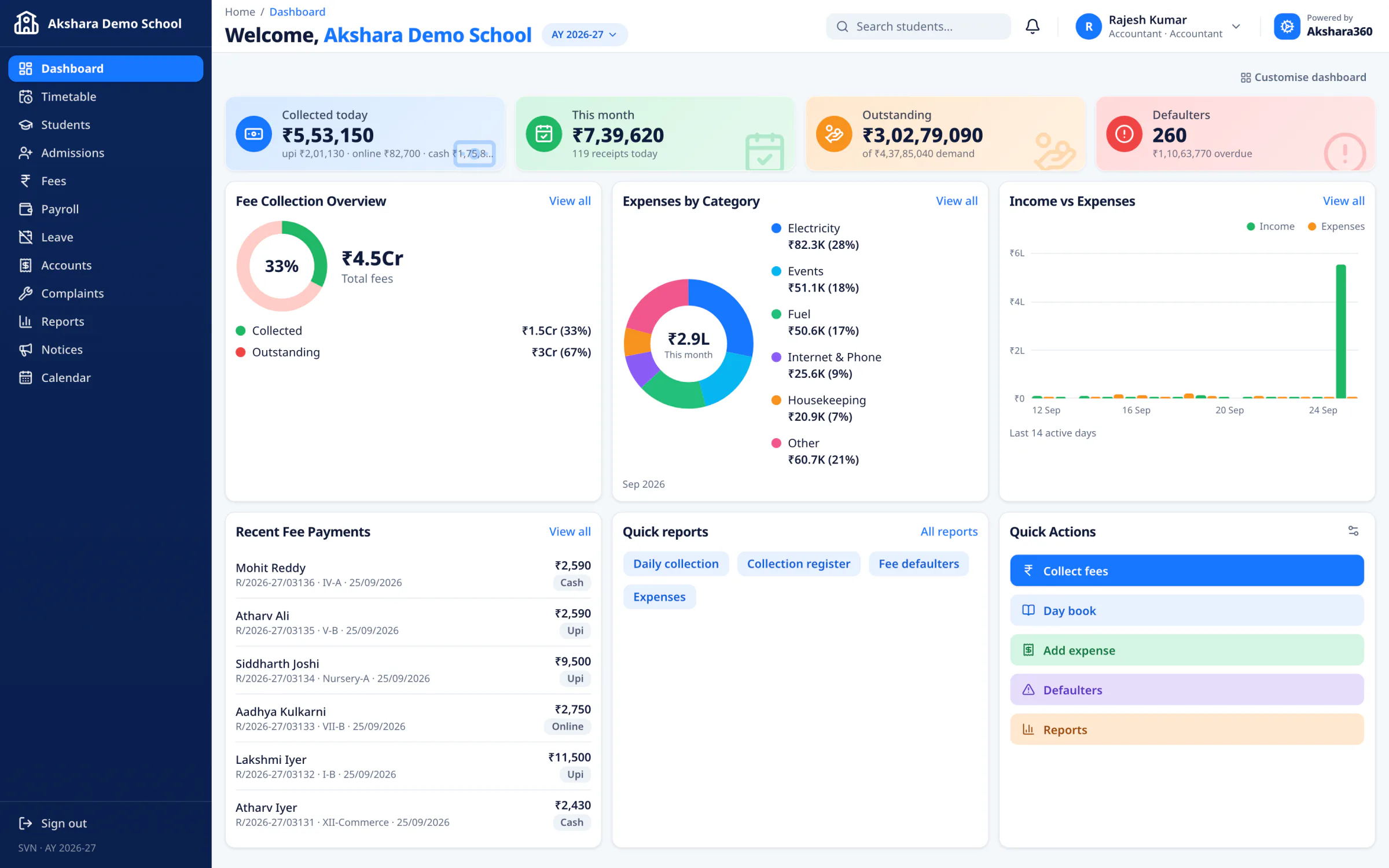
  • Collected today, this month, outstanding and defaulters at a glance.
  • Collect fees, print receipts and keep the day book.
  • Record expenses and see income against spending.

04 / 07 · The library desk

The library desk, in order.

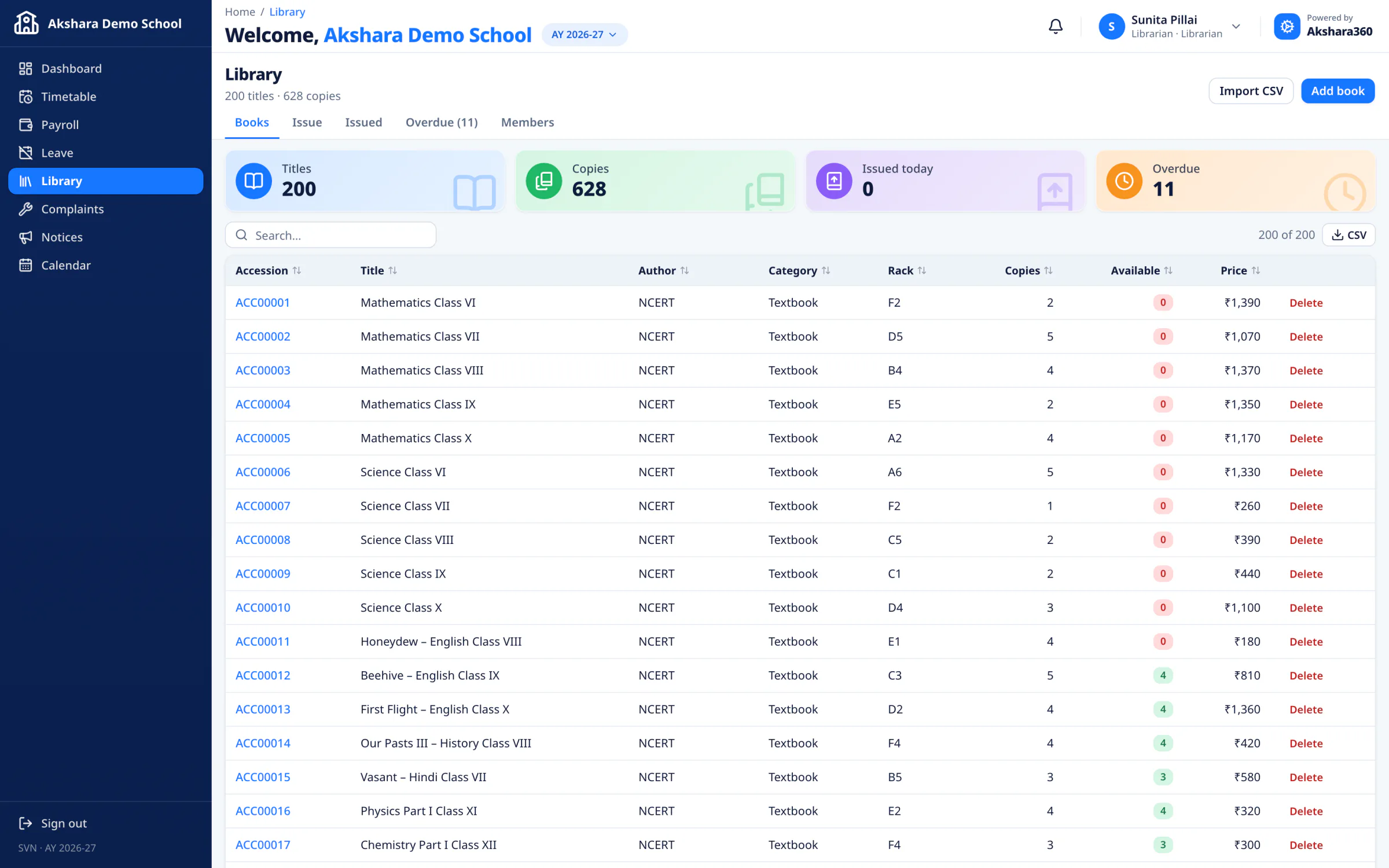
  • Catalogue books with accession numbers, or import a list from a spreadsheet.
  • Issue, return and renew, with late fines worked out for you.
  • See every overdue book and remind borrowers and their parents in the app.

05 / 07 · Routes, vehicles and riders

Every route, stop and rider.

  • Routes with the vehicle, driver, attendant and timed stops.
  • Assign students to a route and stop; routes over capacity are flagged.
  • Print a route sheet for the crew; transport fees flow into Fees.

06 / 07 · Only their own children

Their child’s day, on their phone.

  • Attendance, results, homework and fee dues for each child.
  • Receipts, the school bus route and stop, and school notices.
  • Apply for leave and message the class teacher.

07 / 07 · Only their own records

Timetable, homework and results.

  • Today’s timetable and pending homework.
  • Attendance, published results and report cards.
  • Library books due soon and their bus route.
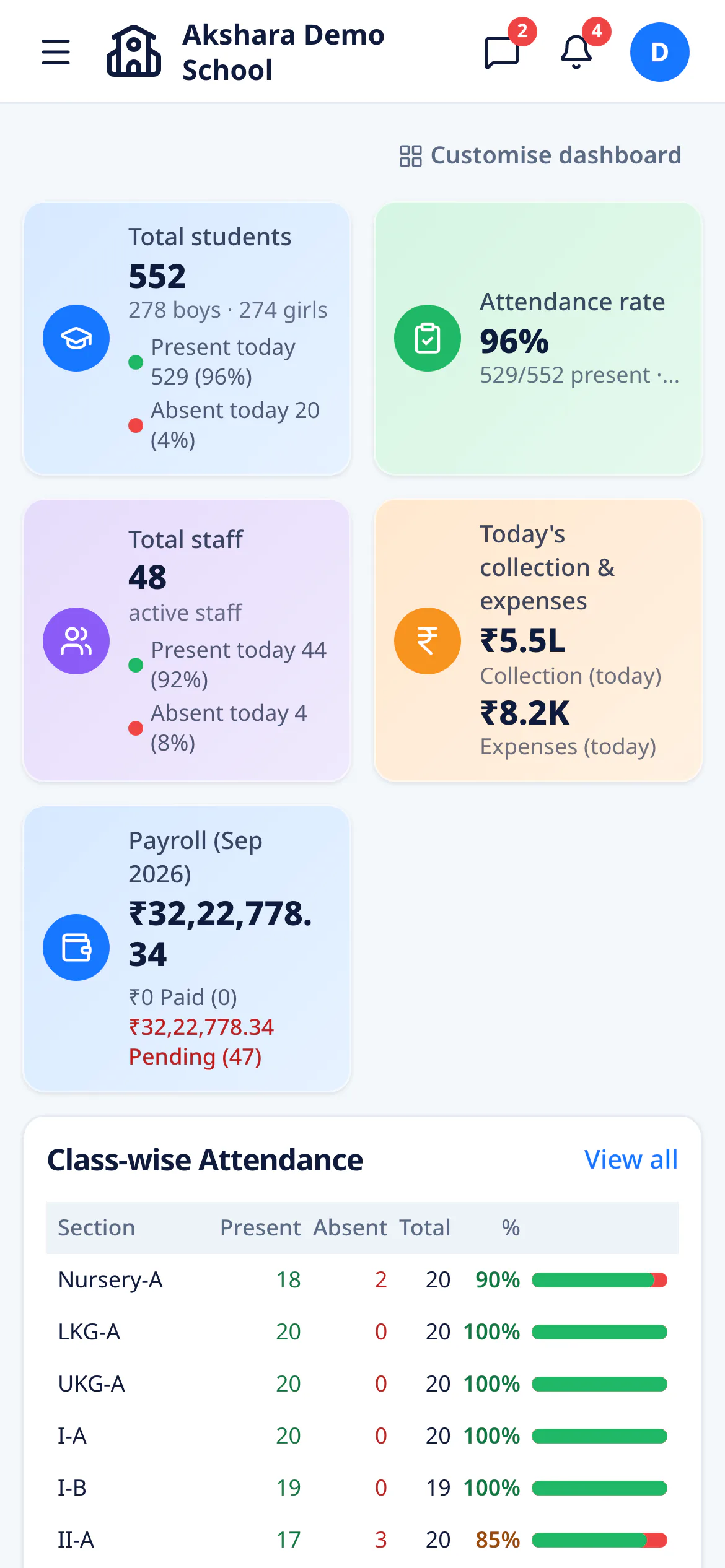
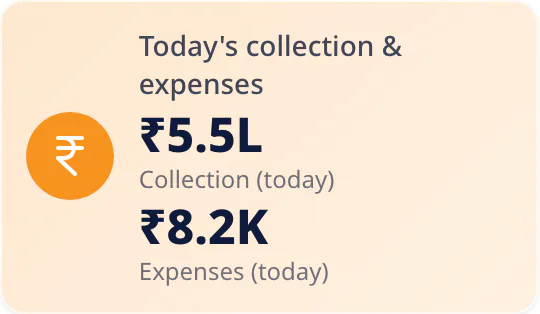
The principal’s dashboard on a phone: total students, attendance rate, staff present, today’s collection and expenses, and payroll

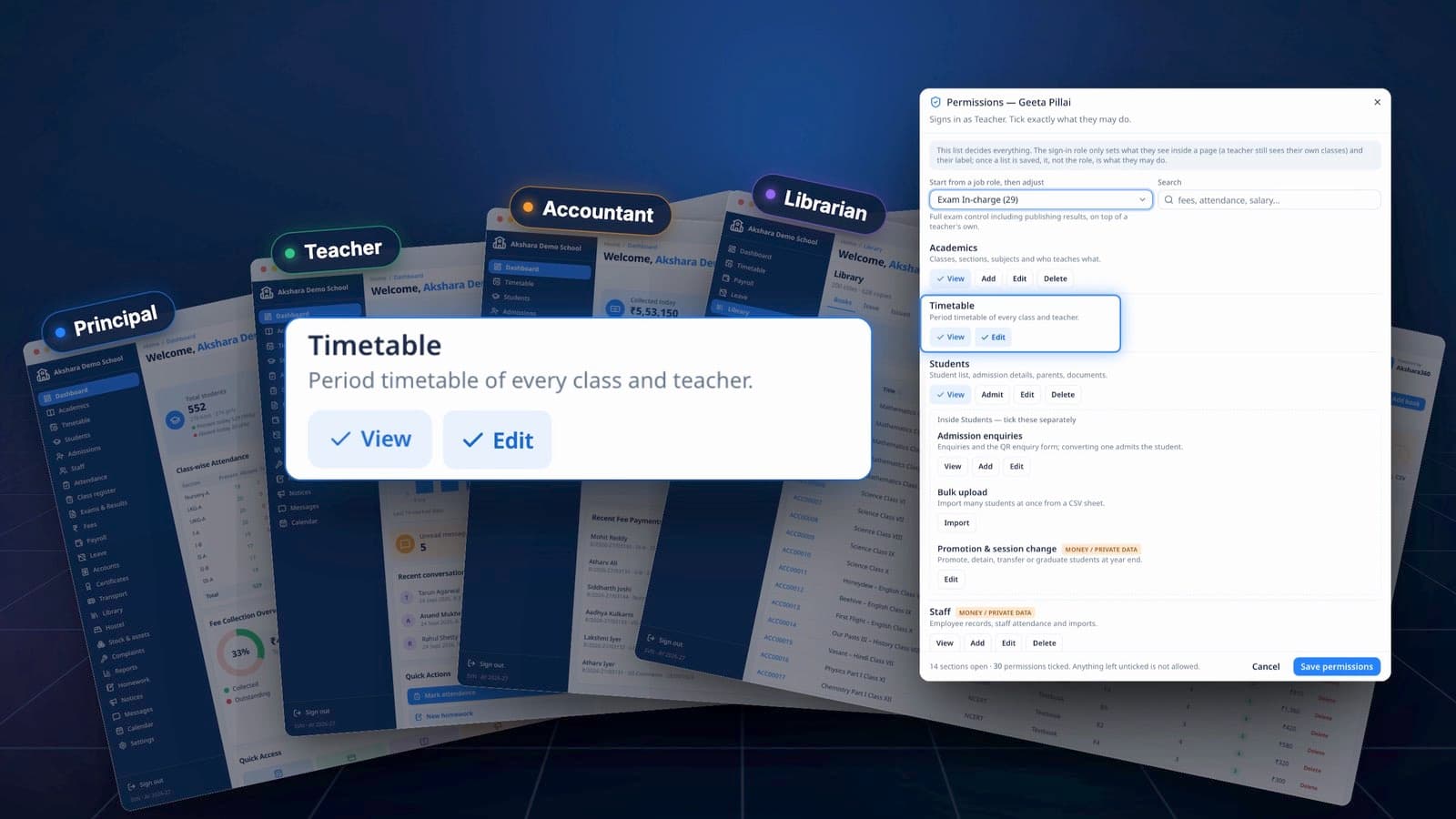
Per-person permissions

Tick exactly what each login can see and do.

Every staff login has its own tick-list: 94 permissions across 31 areas of the app, from View to Approve. Anything left unticked is not allowed.

Start from a job role
Fee Clerk, Exam In-charge, Front Desk, View Only and nine more — then adjust the ticks.
Money stays with leadership
Only leadership can cancel a receipt or refund a fee.
Nothing changes quietly
No one can grant more than they hold, and every change is recorded in the audit log.

For parents

Parents stay in the loop.

Attendance, fee dues and receipts, results, homework and the school bus — on any phone, right in the browser.

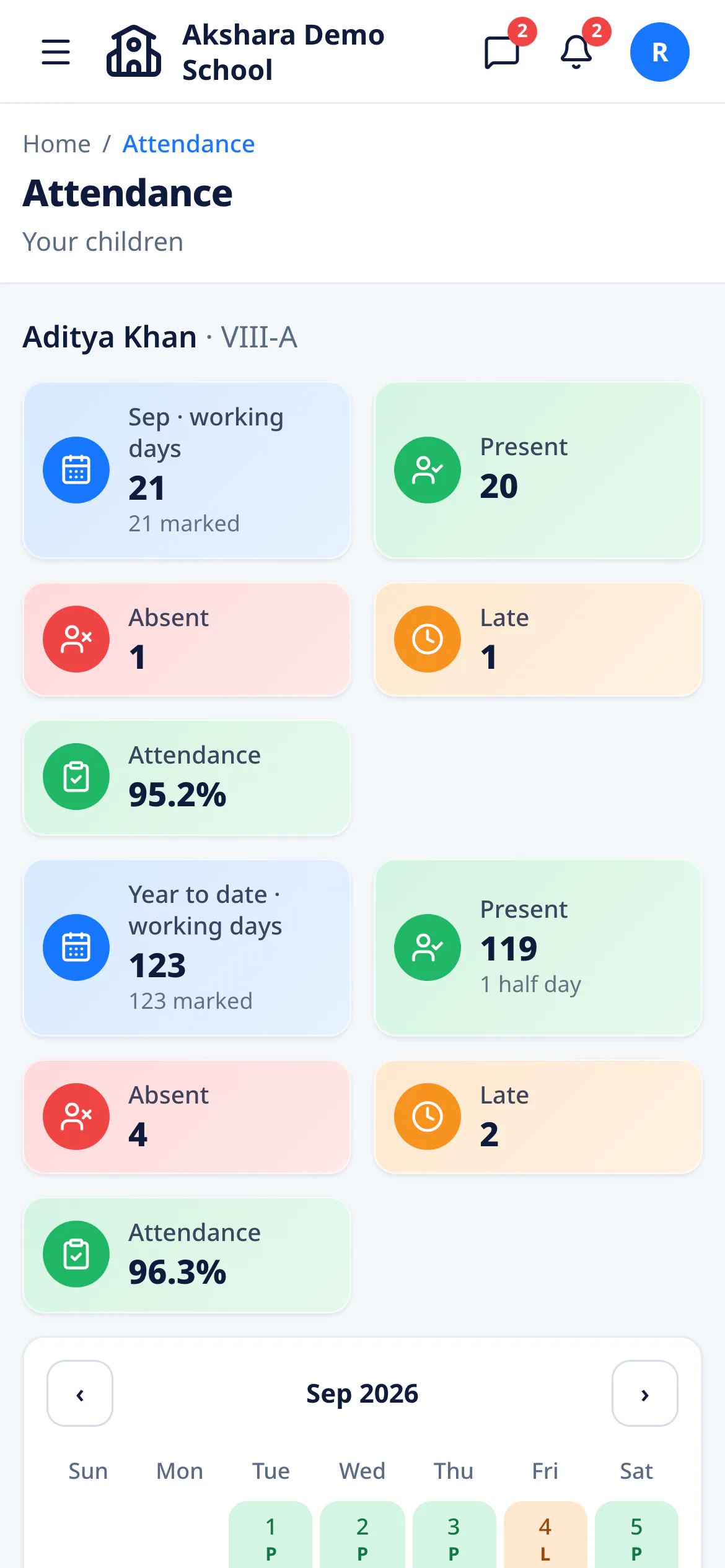
A parent’s attendance page on a phone: 95.2% this month, 19 days present, 1 absent, 1 late
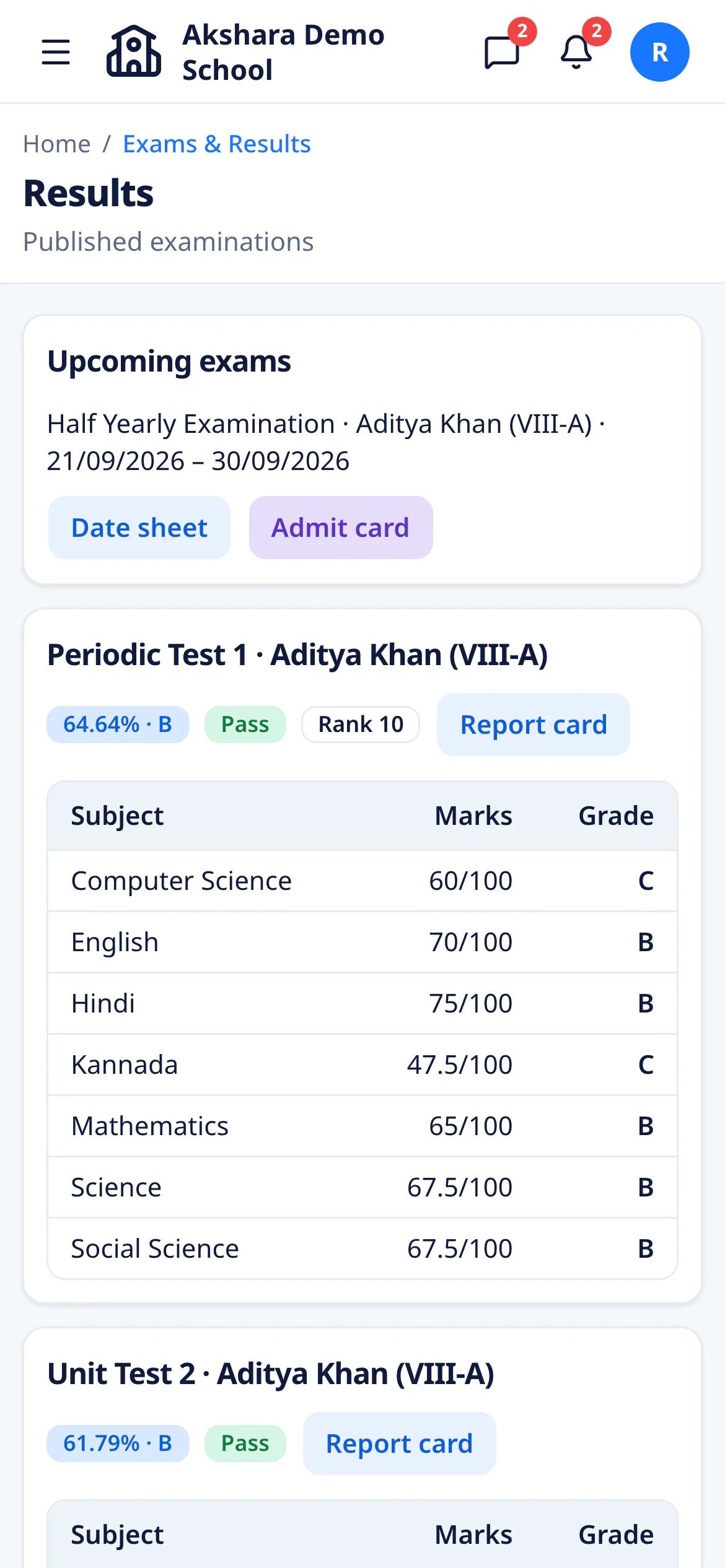
A parent’s results page on a phone: Periodic Test 1, 64.64% grade B, rank 10, with subject marks
  • AttendanceEvery day on a calendar, with a note in the app if your child is absent or late.
  • Fees and receiptsWhat is due, receipts ready to print, and online payment where it is set up.
  • ResultsMarks, grade and rank once results are published, and the full report card.
  • HomeworkToday’s work with its attachments. Hand in answers as a photo or a PDF.
  • School busThe route, the pickup time at your stop, and one tap to call the driver.
  • Messages and noticesWrite to the class teacher. Read notices and the school calendar.

Nothing to download. Open it in any phone’s browser, then add it to the home screen — it opens full-screen, like an app.

The film

See Akshara360 in a minute.

The Akshara360 film · 1:02

Sound on

The Akshara360 film · 1:02

The details

The small things,
done right.

What a school office notices in the first week: a record of who changed what, dues that follow the student, and paperwork that comes out right the first time.

A TC checks the books first.

Before a transfer certificate is issued, the app checks for unpaid fees, last year's included, and library books still out. To go ahead anyway, someone has to write down why.

Certificates → Transfer certificate

Issue transfer certificate

Pre-check

Pre-check blockers

  • Outstanding fees: ₹8,400 (2 installments, overdue ₹4,200)
  • Library book not returned: The Blue Umbrella (due 12/09/2026)

Override reason *

Enter an override reason to proceed.

An override goes into the audit log, reason and all.

Every change, on the record.

Receipts cancelled, refunds made, concessions granted, marks unlocked — who did it, when, and what it was before.

payment.cancel · R/2026-27/00412status: success → cancelled

Receipts without gaps.

One unbroken series each financial year. A cancelled receipt keeps its number, and the reason it was cancelled.

R/2026-27/00412

Aadhaar, handled with care.

Every number is checked, so a mistyped digit is caught before it is saved. On screen it is shown masked.

XXXX XXXX 4821

Paperwork that prints right.

Receipts, report cards, transfer certificates, ID cards, admit cards and payslips — laid out and ready for the printer.

Report card A4 · Receipt A5

Indian, down to the comma.

Rupees in lakhs and crores, dates day first, and the amount in words on every receipt and payslip.

₹12,45,600 · 28/09/2026

A new year, not a fresh start.

Carry classes, fee structures and timetables forward, and promote every section in one go. Past years stay a click away.

2025-26 → 2026-27

Bring your records with you.

Import students, staff, library books and marks from a CSV sheet. Every line is checked before anything is saved.

line 14 · dob · dd-mm-yyyy

Bring your whole school
into one place.

See Akshara360 running a complete demo school — every module, every role — in a guided walkthrough.

Already on Akshara360? Sign in with your school code.